An instructor-operator system is an interface used in training pilots through a flight simulation. The interface grants an instructor the ability to control certain environment variables such as wind speed, humidity, as well as producing malfunctions. For my Capstone project during my senior year, I was tasked with creating an improved instructor-operator system for a local company based in Oklahoma.
The problem
The main task I was assigned and required to complete by the end of the semester was to come up with a user interface for an instructor-operator system that could:
- Control the required variables in the simulation
- Be accessible through any modern web browser
- Enables concurrent control of the simulation
- Only be accessed through being connected to the company's WiFi
- Has to execute on the simulator PC, not the instructor PC
The OS that the system was developed for was Red Hat Enterprise Linux 8 and the codebase that I worked with was primarily written in C, C++, and Python along with some OpenGL for the simulation graphics.
Setting up
Upon receiving the actual code for the project, I spent a few days just trying to make sense of the code, how it all related to each other, and how their system was built. Their implementation involved building the binaries for the application on the Red Hat VM, then sending the Windows-supported binaries over SSH to the instructor PC who would then connect to the Red Hat machine through its IP address.
Qt for WebAssembly
Before I could start with my solution, I had to take a few days to learn what WebAssembly is, how it functions, and how I could even begin to implement it in my own project. I found some demos on GitHub as well as the Qt website on how to use the Emscripten compiler to compile C++ and run it in the browser.
Emscripten
Emscripten is a compiler tool built with Binaryen, the WebAssembly compiler toolchain, and LLVM to provide a way to port C or C++ applications to the internet. It's a technology that I knew nothing about before this project, but actually using it provided good results in this project. I'm still learning about WebAssembly and the implications that it has on modern web development, but so far there have been some cool projects to come from it. One example would be this terminal emulator written in Rust and compiled into WebAssembly.
Design
With a UI that needs to be able to display about 40 buttons/controls, it can be difficult to find a solution that looks appealing, is functional, and makes the most logical sense. This is mostly because their are buttons that I do not understand the purpose of because I am not a pilot and the codebase does not come with instructions. The only information that is included are the control names and their corresponding code within the simulation's symbol dictionary. Even with this, I was able to figure out how to group certain buttons together and later on received more explanation of what the controls actually do.
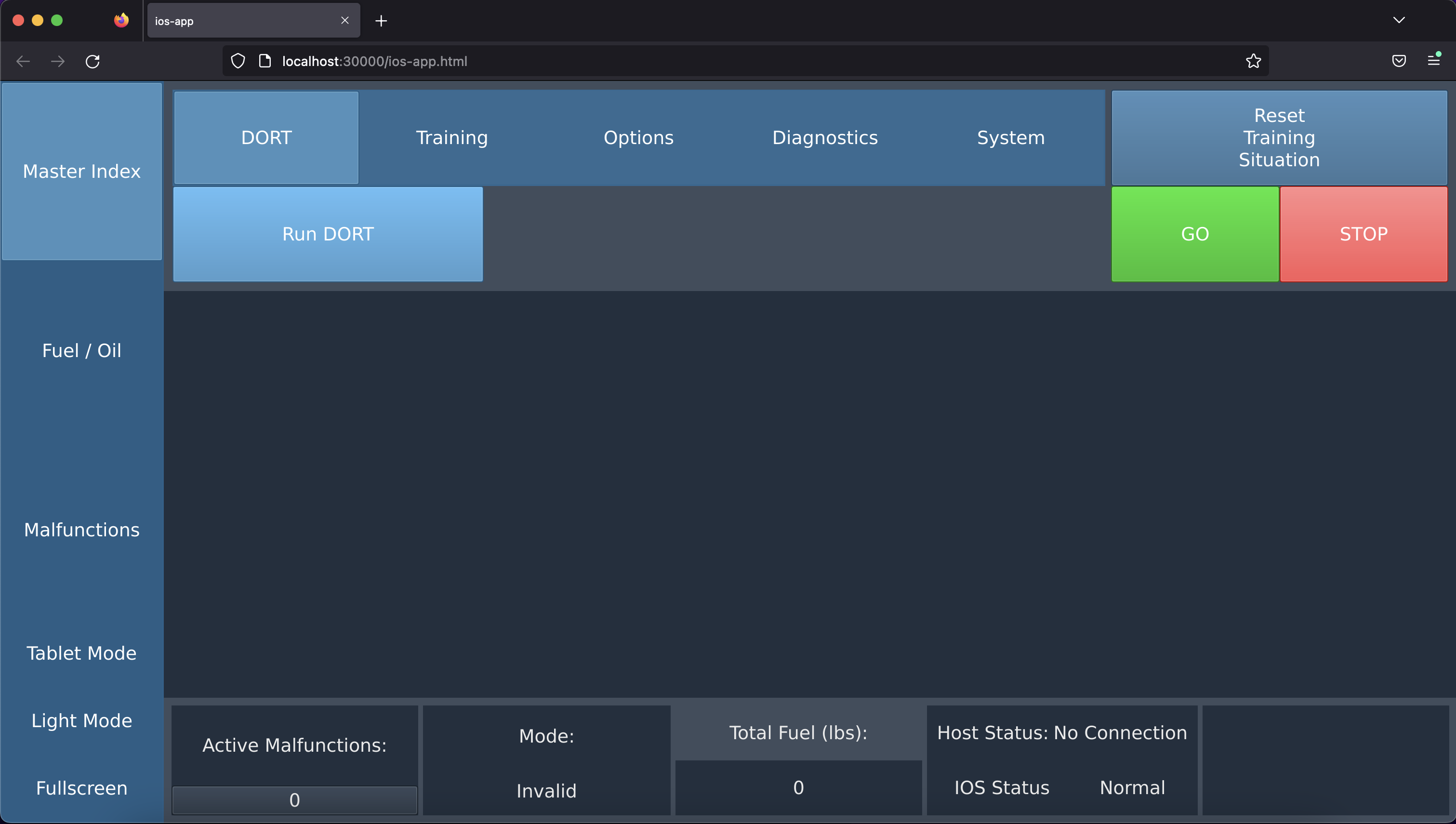
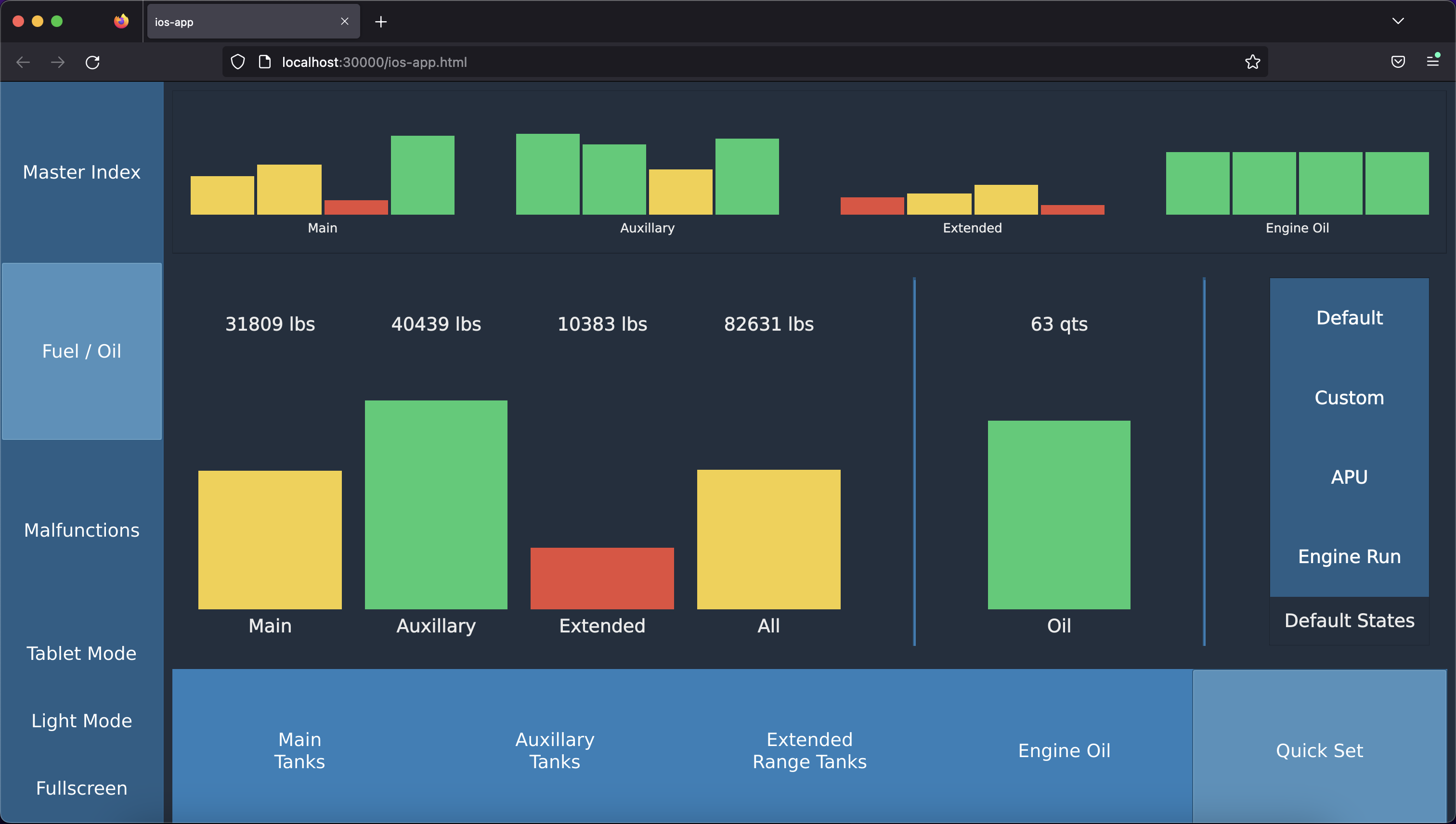
The final UI that was implemented in the application was created with the use of the Qt framework and C++. Ultimately, I decided to use Qt because I did not have a lot of C++ experience at the time and also did not have the time required to come up with my own UI components. If I had more time, I definitely would have enjoyed working on the design more, and mostly just touching up the styling of it to better suit the use case, but the actual backend work on making everything sync with the simulation is what took the most time.
Building out the features
Getting the main UI to function properly took a while, mostly because I hadn't worked with C++ on a project of this size before and was still getting accustomed to it. The biggest issues in the implementation of the UI was getting the tanks to adjust recursively so that a user could control all tanks at once, or all tanks within a certain section, or any individual tank while also adjusting any connected tanks. It was a difficult thing to implement because even though there were 16 tanks, there were 41 UI elements that displayed tank information and 25 UI elements that could control certain groups of tanks.
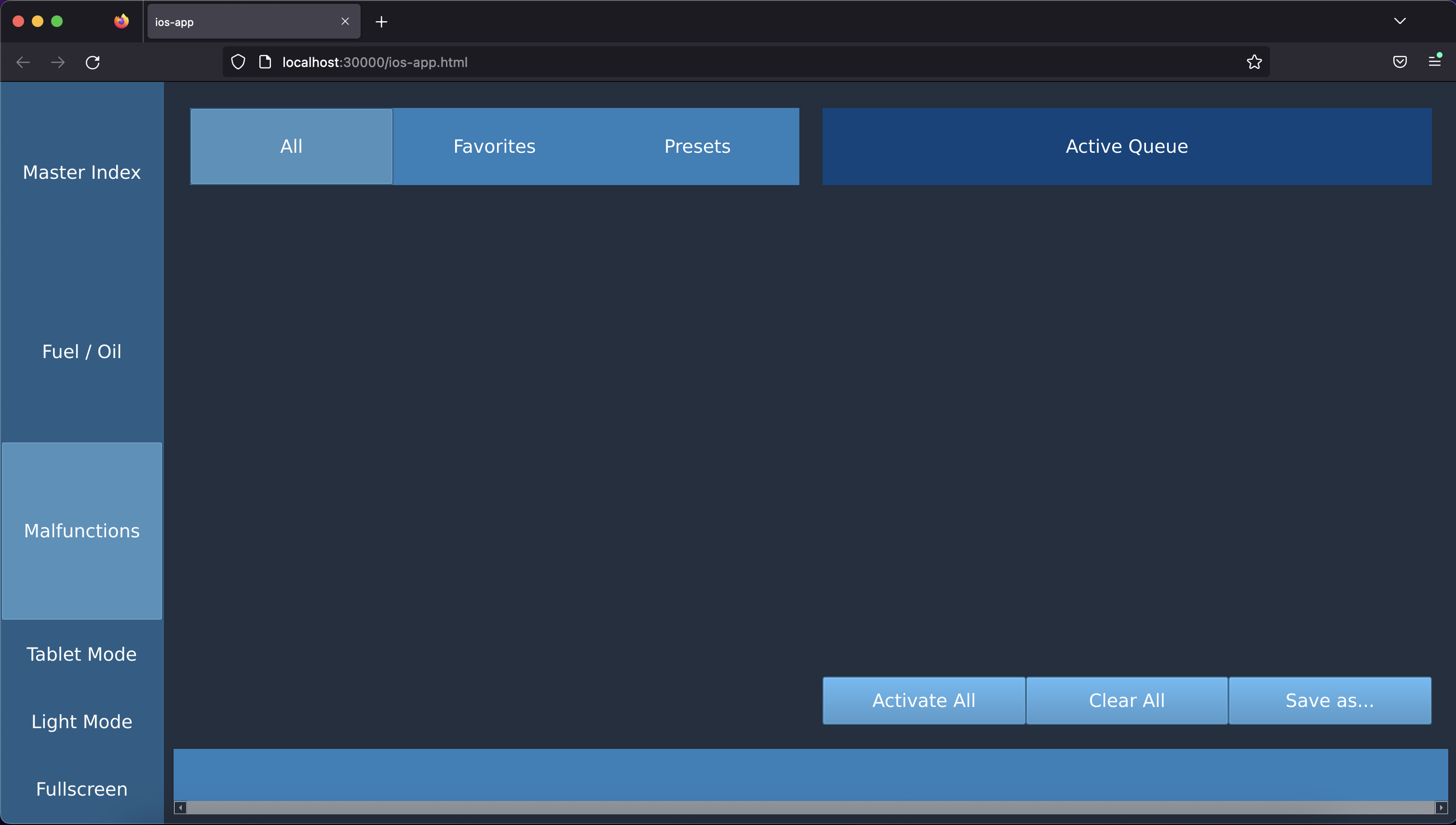
That was a major part of getting the initial UI to work correctly, but another major part was importing a CSV of malfunctions into the Malfunctions page of the UI. The reason why this was so difficult at first was because of the DOM of an application compiled using Emscripten and WebAssembly. After a while, I figured that the CSV would only be usable if I hardcoded in the malfunctions into the Malfunctions page and so that is what I had to do. This took a long time because there were 63 types of malfunctions for this specific simulation. After hardcoding these malfunctions, I then had to figure out the logic behind dragging/dropping a malfunction from the available list into the staged list, and finally into the activated list.
Real-time scheduling
The most challenging part of this project was working with the company's real-time task scheduler and the large amount of symbols used by the simulation. The design of my solution's UI took about 2 weeks, and with about 6 weeks left of the course, I had to work even faster on everything else. Instead of trying to figure out which symbols matched with a certain component, I focused on making the components work after being compiled to the web browser before managing interaction with the simulation. This process took much longer than expected, mainly because my other courses were getting busier in the last weeks of the semester.
Connecting the application to the simulation
This part of the project is what I ultimately was not able to finish in enough time. I was able to use websockets to transmit data from the control interface to the simulation but did not have enough time to build a receiver that could take this data, find the corresponding symbol, and send that to the scheduler. Maybe if I had more time, or if I could've worked in a group it could have been implemented but overall I was happy with how far I had gotten.
Final remarks
When I chose this project I intially thought it would be a web-development project where I could actually work with some JS framework and build a full-stack application. Upon learning that it would be something else entirely, I was a little disappointed at first but that quickly faded once I started to learn more about WebAssembly and C++. Overall, I am very satisfied with the amount of work I was able to complete within a semester all while working on other courses. I still have things that I want to fix with the project, but since I do not have access to the VM I can't work on it any further.
I think that one thing that I learned during this project was that there are not many resources on the internet that could've helped me when it came to using WebAssembly. I understand that this is a new technology that hasn't really reached maturity, but I feel like I would want to put out some guides on how WebAssembly works and how to incorporate it into a project once I have a better understanding of it.